Single column
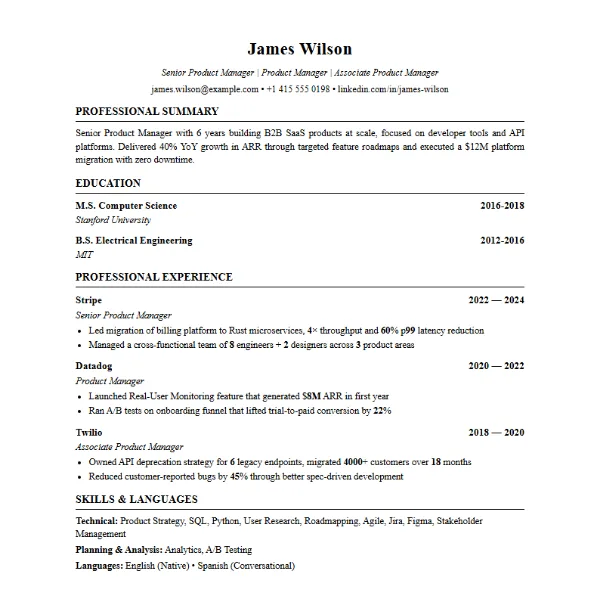
Harvard template
Classic serif layout with centred name and ruled section headings. Education comes first, which suits graduates, academic and finance roles.
Use the Harvard template →An ATS friendly resume is one that applicant tracking systems can read from top to bottom without losing your job titles, dates or skills. Below are the real templates of the AutoApplyMax resume builder, with an honest label on each: four are single-column and safe for ATS portals, one uses two columns.
Previews show a sample resume. Pick a template, upload your current resume or LinkedIn PDF, and the builder fills the template with your own experience. You can edit every line before you download the PDF.
Classic serif layout with centred name and ruled section headings. Education comes first, which suits graduates, academic and finance roles.
Use the Harvard template →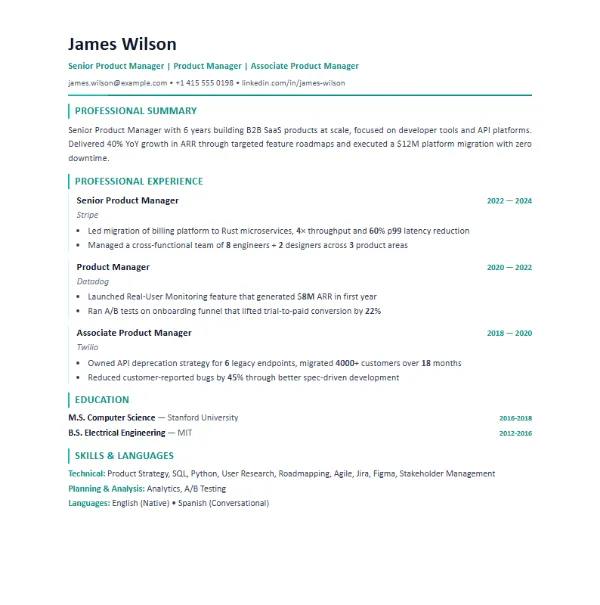
Clean sans-serif layout with a coloured accent on headings. Experience first, skills at the end. A safe default for most private-sector jobs.
Use the Modern template →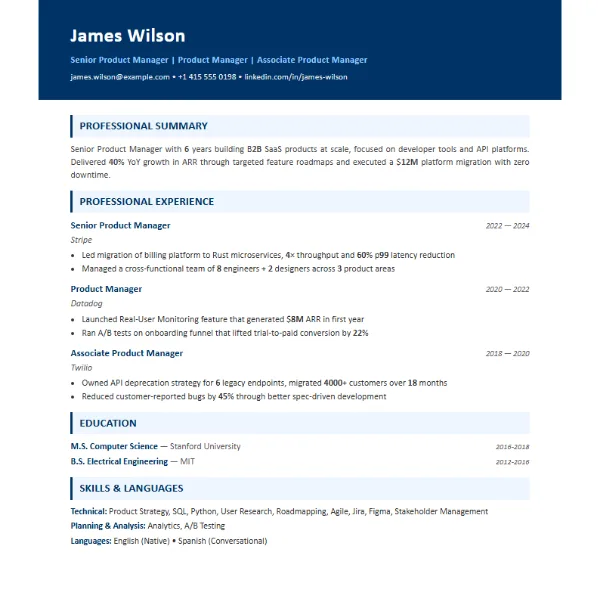
Bold header band and shaded section titles. Experience first, with numbers in bold so achievements stand out to the recruiter who reads it after the ATS.
Use the Consulting template →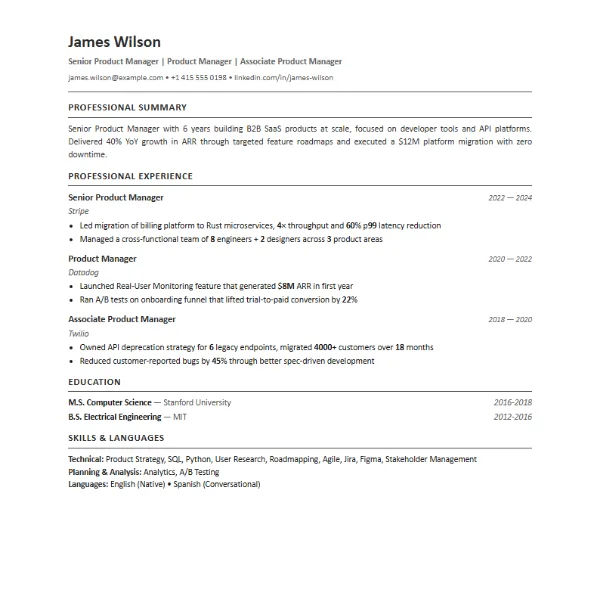
Sober, compact single column with right-aligned dates. Works well for Europe and for anyone who needs to fit a lot on one page.
Use the European template →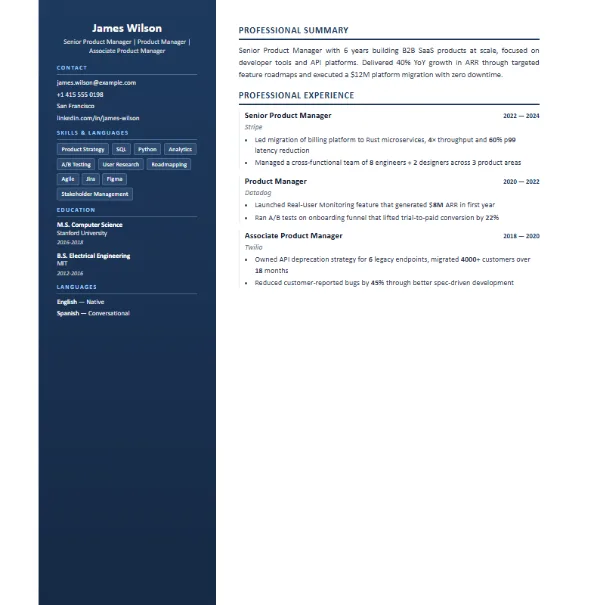
Sidebar for contact, skills and education, main column for experience. Looks great to a human, but some older ATS read two columns in the wrong order. Prefer a single-column template when you apply through a company portal.
Use the Compact template →There is also a Creative template with a coloured header and two columns. Keep it for portfolios or direct emails to a hiring manager, not for ATS portals.
An applicant tracking system (Workday, Taleo, iCIMS, Greenhouse, Lever, SuccessFactors…) turns your resume into plain text, splits it into sections and compares it with the job description. Formatting that confuses the parser can hide information a recruiter never gets to see.
Parsers read left to right, line by line. Sidebars and text boxes can be read out of order or skipped.
Summary, Experience, Education, Skills, Projects, Certifications. Creative headings like "My journey" are harder to classify.
Skill bars, logos and icons carry no text an ATS can read. Write skills as words.
Use fonts like Calibri, Arial, Georgia or Garamond at 10–12 pt and export a text PDF, not a scanned image.
Job title, employer, location and month-year dates on each role, most recent first.
Use the exact wording of the job description for skills and tools you really have ("Power BI", not just "dashboards").
| Your situation | Template | Why |
|---|---|---|
| Fresher or recent graduate | Harvard | Education sits at the top, where your strongest section is. See our resume format for freshers. |
| Experienced, private sector | Modern | Experience first, skills at the end, easy to scan. |
| Results-heavy roles (sales, consulting, product) | Consulting | Bold numbers draw the eye to achievements. |
| Long career on one page | European | The most compact single-column layout. |
| Emailing a hiring manager directly | Compact or Creative | Two columns are fine when a person, not an ATS, reads the file first. |
A free account includes 1 AI-tailored resume a month and unlimited ATS checks. You can also edit any template by hand without AI.
Choose a template, let AI fill it from your current resume and tailor it to the job you want.
Create free account →Yes. You can pick any template, fill it in and download it as a PDF with a free account. The free plan also includes 1 AI-tailored resume a month and unlimited ATS score checks.
A single-column, reverse-chronological resume with standard headings (Summary, Experience, Education, Skills), no tables or images, and the keywords of the job description. The Harvard, Modern, Consulting and European templates follow that format.
Not always, but some older applicant tracking systems read two columns in the wrong order or skip the sidebar. If you apply through a company career portal, a single-column template is the safer choice.
For the US, UK and India, no: most employers do not expect one and it adds nothing an ATS can read. In some European countries a photo is common; the templates let you add or remove it.
A PDF with real text (not a scanned image) is read correctly by modern ATS. Resumes downloaded from AutoApplyMax keep a selectable text layer. If a job posting explicitly asks for a Word file, send DOCX.
Run it through the free ATS score checker with the job description: it shows your score out of 100 and the keywords you are missing.