FREE EXTENSION · 100+ ATS PORTALS

AI Autofill for 100+ ATS portals — never type your info twice

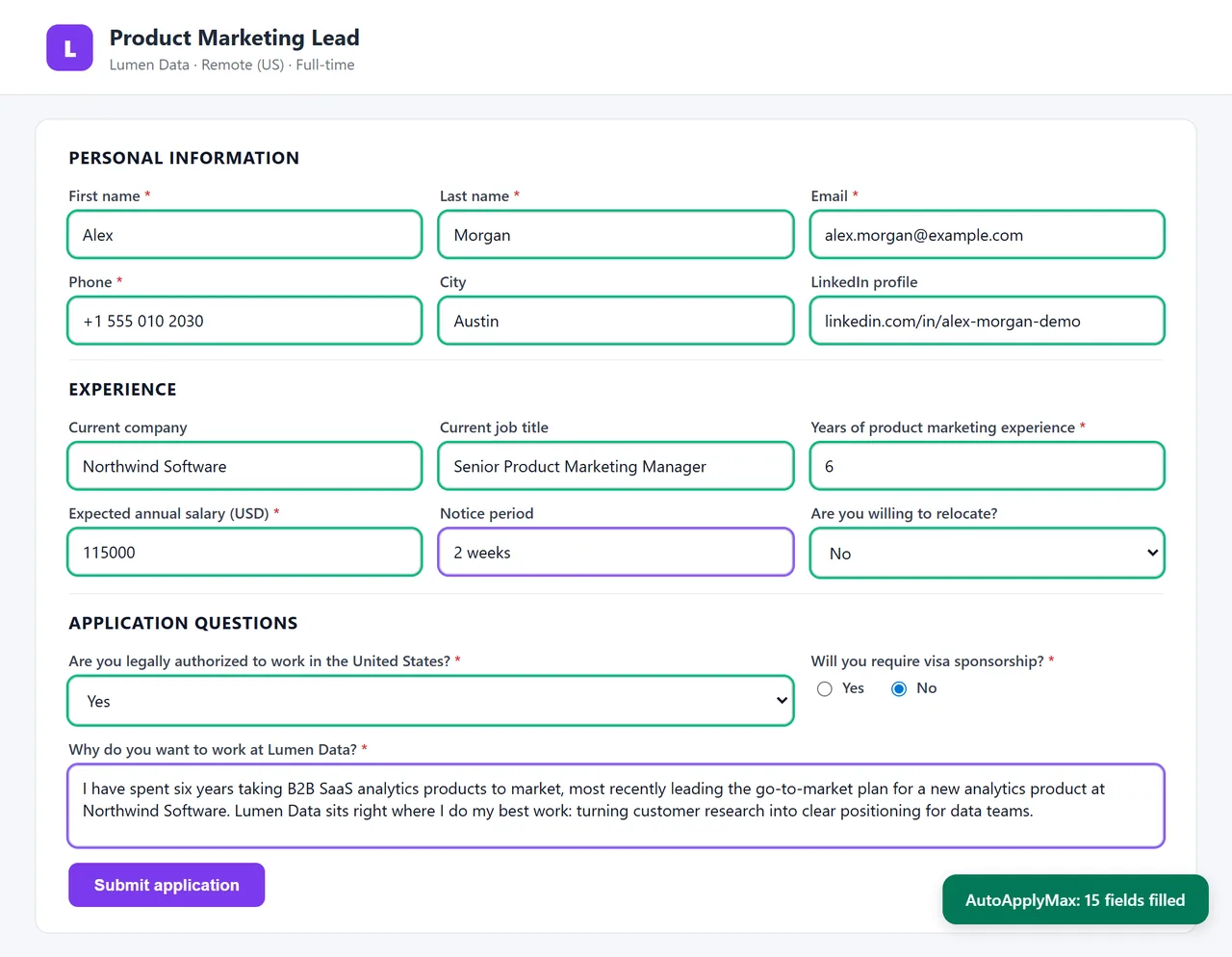
One Chrome extension fills in job application forms from your saved profile in seconds: name, contact details, work history, education and links. With Premium, AI also answers the screening questions in your voice — years of experience, work authorization, salary expectations, notice period, "why this company?". Works on Indeed, Glassdoor, Welcome to the Jungle, Monster, Workday, Greenhouse, Lever, Ashby, iCIMS, Taleo, SmartRecruiters and most company career pages. You always review the form and click Submit.

100+ ATS supported
AI screening answers (Premium)
One-click fill
You always click Submit

Last updated ·

Fill in a job application in seconds

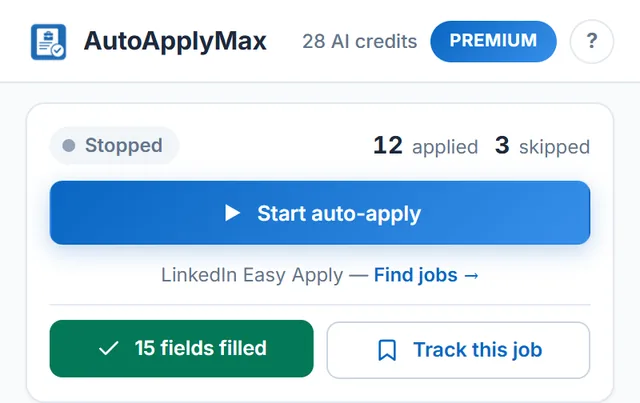
1. Create a free account and complete your profile · 2. Install the Chrome extension · 3. Open any job application form · 4. Click "Autofill this form" in the extension popup

Create free account → Install extension

What AI Autofill covers on every job form

Contact details, work history, education and links come from your saved profile. With Premium, AI answers the screening questions in your voice. You review the form and click Submit.

Every profile field, one click

Name, email, phone, address, LinkedIn, GitHub, work authorization, notice period, expected salary. The fields you retype on every application, filled in instantly from your saved profile.

AI answers open questions (Premium)

"Why do you want to work here?" "Describe your experience with Kubernetes." "What motivates you?" The AI reads the question and your profile, then writes a personalized two-to-three-sentence answer in your voice. Edit it, or keep it and move on.

Handles complex work-history fields

Workday and Greenhouse ask for each past role — job title, company, dates, description, achievements — as separate fields. The extension goes through your experience and fills in each row for you. No more copy-pasting from your resume.

Your data stays yours

Your profile lives in your AutoApplyMax account and the extension fills forms right in your browser. Delete your account and all your data is erased.

100+ ATS portals covered

A sample, not the full list. If a portal uses a standard web form, autofill can usually fill it.

Indeed
Glassdoor
Monster
Welcome to the Jungle
Workday
Greenhouse
Lever
Ashby
iCIMS
Taleo
SmartRecruiters
Jobvite
Workable
BambooHR
Recruitee
Personio
Teamtailor
Rippling
Zoho Recruit
and many more

Why AI Autofill for job applications matters

A serious job search means 30–50 applications per week. Every application on a portal outside LinkedIn (Indeed, Workday, Greenhouse, and 100+ others) asks you to retype the same 25 fields: name, email, phone, address, LinkedIn URL, GitHub, current employer, previous roles, education, degrees, work authorization, salary expectation. At 10 minutes per form you burn 5+ hours a week on data entry. Autofill cuts that to seconds: you fill in your AutoApplyMax profile once, and every job form after that is filled with your data in one click. With Premium, AI Autofill also handles the harder part: screening questions. Portals like Workday and Greenhouse routinely ask 3–8 open-ended questions per application ("Describe a project where you led cross-functional stakeholders", "Why do you want to work at [Company]?"). Manually answering these takes another 15 minutes. AI Autofill reads the question and your profile and writes a personalized answer in your voice: seconds instead of 15 minutes.

AI Autofill vs Chrome's built-in autofill

Chrome's built-in autofill is limited to basic contact fields (name, address, phone) and only if the form uses standard HTML field names. It doesn't handle work history, education, screening questions, or any job-specific field. AI Autofill covers all of those and, with Premium, uses AI to answer open-ended questions — Chrome can't do that. Chrome's autofill also doesn't handle multi-step forms (Workday's 5-page apply flow), can't iterate through repeated fields (each past job as separate entries), and doesn't know about profile fields like "salary expectation" or "notice period".

Which portals does AI Autofill actually cover?

Supported platforms include Indeed, Glassdoor, Monster, Welcome to the Jungle, Workday, Greenhouse, Lever, Ashby, iCIMS, Taleo, SmartRecruiters, Jobvite, Workable, BambooHR, Recruitee, Personio, Teamtailor, Rippling, Zoho Recruit, JazzHR, and dozens more. Beyond that, any custom company career page that uses a standard HTML form will also autofill — the extension detects form fields dynamically. If a page uses an unusual custom form and autofill misses some fields, tell us and we will look at adding support.

How AI Autofill differs from Auto-Apply LinkedIn

Auto-Apply LinkedIn is fully hands-off: the extension applies to jobs for you, no click required, on LinkedIn Easy Apply only. AI Autofill is one-click, works on 100+ portals, but leaves the Submit button for you to press — because portals like Workday and Greenhouse each have their own validation rules and you should keep the final say. Both features come from the same free Chrome extension. Auto-apply on LinkedIn is free on every plan, and so is profile autofill (contact and work history fields). Only the AI part, AI-written screening answers, requires Premium at $6.99/month.

Free vs Premium — where the paywall sits

Basic profile-based autofill is free on every portal. Premium unlocks AI-written answers to screening questions (the "why do you want to work here?" kind), plus 30 AI credits a month for tailored resumes and cover letters, and the AI Career Audit. If you only want the fields filled in and you're happy to type your own screening answers, the free plan is enough.

AI Autofill — FAQ

Which sites does AI Autofill work on?

Indeed, Glassdoor, Monster, Welcome to the Jungle, Workday, Greenhouse, Lever, Ashby, iCIMS, Taleo, SmartRecruiters, Jobvite, BambooHR and Workable, plus most company career pages that use a standard web form. More than 100 portals in total.

How is it different from Chrome's built-in autofill?

Chrome's autofill only fills your name, address and phone from your saved contact card. AutoApplyMax fills the job-specific fields too (years of experience, work authorization, salary expectations, past employers, degree, notice period) and, with Premium, uses AI to answer open-ended screening questions in your voice.

Does the extension press Submit for me?

No. Autofill fills in the form and you press Submit. That is a deliberate rule for every site outside LinkedIn: each ATS validates forms differently, and you keep the final say. On LinkedIn Easy Apply, the separate auto-apply feature does submit for you.

Is AI Autofill free?

Profile autofill (contact details, work history, education, links) is free on every site. AI answers to screening questions, where the AI reads the question and writes an answer from your profile, require Premium at $6.99/month. Auto-apply on LinkedIn Easy Apply is free on every plan.

Where is my profile data stored?

In your AutoApplyMax account. The extension reads your profile from there and fills forms right in your browser. With Premium, the screening question and the relevant parts of your profile are sent to our AI provider to write the answer. Delete your account and all your data is erased.