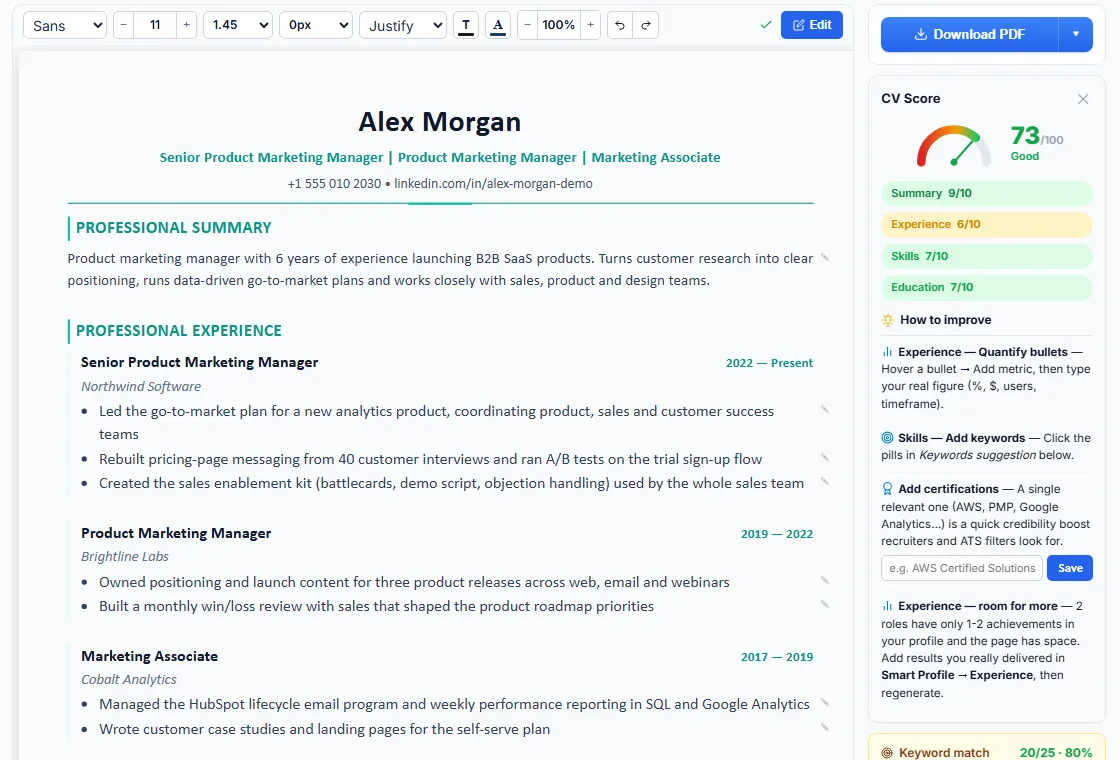
What tailoring a resume to a job really means
Tailoring is not writing a new resume for every application. You keep the same jobs, dates and results, and adjust three things for one posting: the words you use for skills you really have, the order of what you show first, and what you cut because it does not help for that role. A recruiter skimming for "SQL" and "forecasting" should find both in the first lines they read, written the way the posting writes them.
Most US and Canadian employers run applications through an applicant tracking system (ATS). Recruiters search it by keyword, so a resume that says "data viz" when the posting asks for "data visualization" can be missed even though the skill is there. Matching the posting's vocabulary is the easiest win; inventing skills to match it is the fastest way to fail the interview.
How the free tailoring demo works
- Paste or upload. Add your resume (PDF, Word or text) and the full job description.
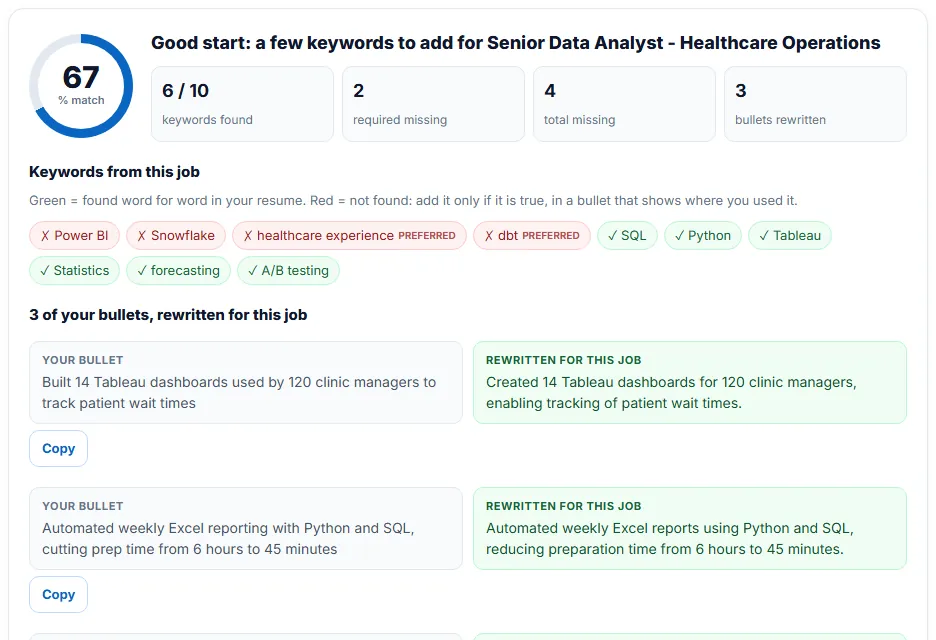
- See your match. The AI picks the posting's 12 to 18 hard requirements and marks them required or preferred. The tool then checks each one, word for word, against your resume text.
- Read the rewrites. Three of your bullets that matter most for this job come back rewritten in the job's vocabulary, with the same facts and numbers.
Every rewrite is checked before you see it. One that adds a number your resume does not contain, a tool you never mentioned, or the new employer's own context (their clients, their product, their team) is removed. That is why you may sometimes see fewer than three bullets.
How the match score is calculated
The score is the share of the posting's key requirements that appear in your resume, with required keywords counting twice as much as preferred ones. It is a coverage measure, not a grade: a strong resume can score 50% against a posting that asks for a different stack, and a weak one can score high by listing keywords without showing them in use. Because the requirement list is chosen by AI, two runs on the same posting can differ by a few points.
For a full ATS-style review of one resume against one job (formatting, sections, contact details and keywords), use the ATS score checker.
What to do with missing keywords
- You have the skill, but used another word: switch to the posting's term ("data visualization" instead of "dashboards and charts"), in the bullet where you used it.
- You have it, but it is not on your resume: add it to the bullet that proves it, and to your skills section if it is a tool, language or certification.
- You do not have it: leave it out. If it is marked preferred, you can still apply. If several required keywords are missing, the role may be a stretch, and your cover letter should explain what transfers.
The free demo vs the full tailored resume
| Free demo (no signup) | Free AutoApplyMax account | |
|---|---|---|
| Keyword match and missing keywords | Yes | Yes, plus the ATS checker inside the dashboard |
| Rewritten content | 3 bullets | Summary, every role's bullets, skills order |
| Templates and export | Copy the text | 6 templates, PDF and Word |
| Editing | - | Inline editor with unlimited AI rewrites |
| Limit | 5 runs an hour, 15 a day | 1 free AI credit a month (1 tailored resume) |
Premium is $6.99/month for 30 AI credits if you apply to many jobs; see pricing.
How to tailor your resume to a job description, step by step
Whether you use this tool or do it by hand, the method is the same. Plan on a few minutes per application once your base resume is solid.
- Read the posting twice. First for the role, then with a pen: underline the skills, tools, certifications and domain words it asks for, and note which ones it says are required.
- Compare with your resume. For each underlined word, find where your resume already shows it. That is your match; the rest are your missing keywords.
- Rename, don't invent. If you did the work under another name ("client reporting" vs "stakeholder reporting"), use the posting's words. If you never did it, leave it out.
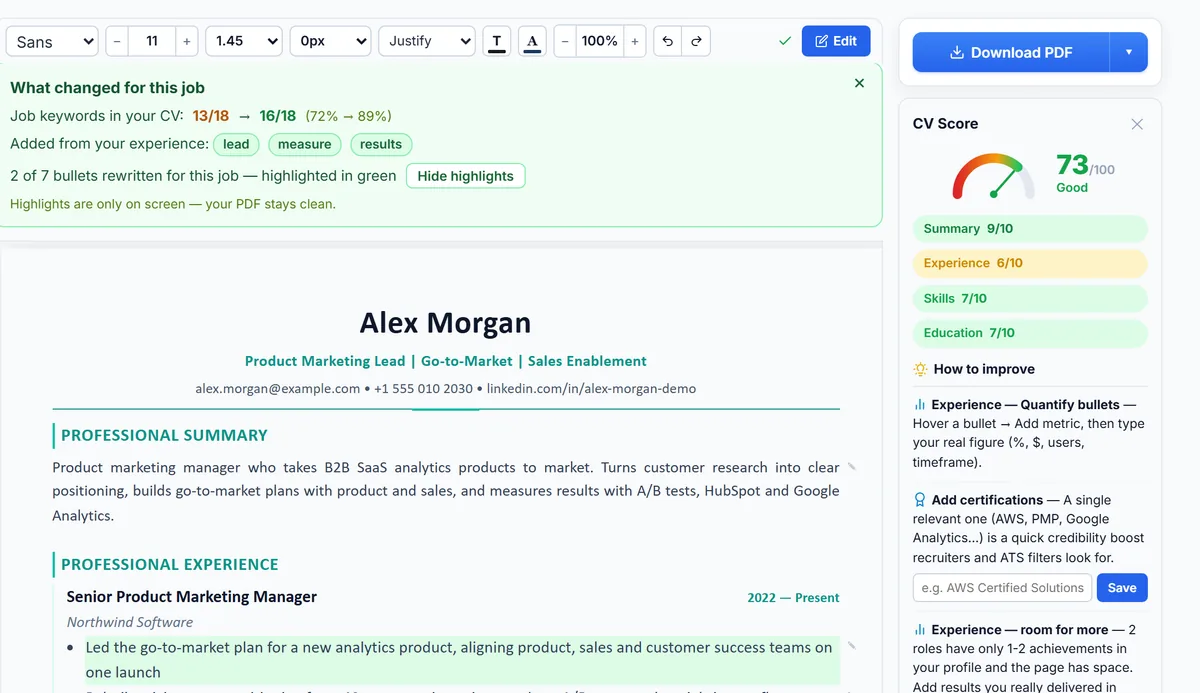
- Reorder. Move the two or three most relevant bullets to the top of each role, and the most relevant skills to the start of your skills line.
- Update the summary. Two or three lines that name the target role, your years in it and one result that matters for this job.
- Check the result with a resume score check against the same posting, then save the version with the company name in the file name.
Where job keywords belong on your resume
| Section | What to adjust for the job | Example for a data analyst posting |
|---|---|---|
| Summary | Target title, your years, the 2-3 skills the posting stresses most | "Data analyst with 4 years in retail, focused on SQL, Tableau and forecasting" |
| Experience bullets | The posting's words for work you really did, result first | "Built Tableau dashboards used by 12 store managers" instead of "Made reports" |
| Skills | Order by relevance; add tools you used but never listed | SQL, Tableau, Python, Excel, forecasting |
| Job titles | Never change them; add context in the bullets instead | Keep "Reporting Analyst", show the analytics work below it |
| Education and certifications | Move them up if the posting requires them | Put a required certification near the top for an entry-level role |
Related guides: how to tailor a resume to a job description and tailored vs generic resumes.