How LinkedIn auto-apply works (and where it can't help you)
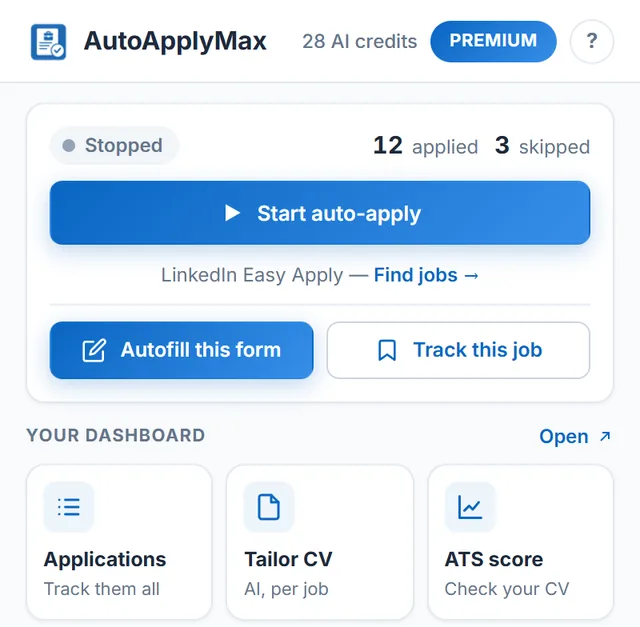
LinkedIn's Easy Apply flow lets a candidate submit a job application inside LinkedIn without leaving the platform. Behind the scenes it's a short web form — usually 2 to 6 steps — asking for your resume, contact info, and a handful of role-specific screening questions ("years of experience with X?", "authorization to work in Y?"). AutoApplyMax's Chrome extension automates that exact flow: it clicks the button, fills in the form from your saved profile, answers the screening questions (from your saved answers, or with AI on Premium), attaches your resume and submits, then moves on to the next Easy Apply job in your search results. This is what "auto-apply on LinkedIn" really means. It works on any LinkedIn Easy Apply job — engineering, product, marketing, sales, finance, healthcare, HR, entry-level, senior. No job type is excluded, because the form is LinkedIn's, not ours.
Why auto-apply only works on LinkedIn Easy Apply
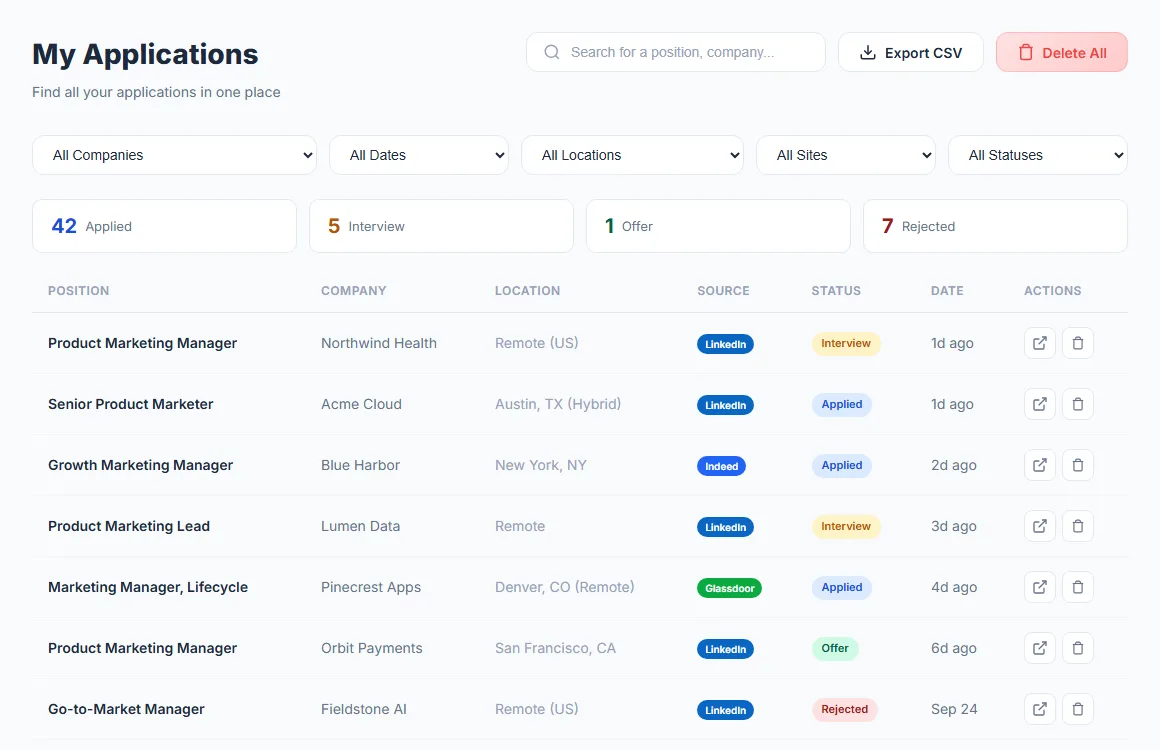
Every other job board (Indeed, Glassdoor, Workday, Greenhouse, Lever, Ashby, iCIMS, Taleo, and 100+ company career sites) uses its own custom form, its own captcha, its own account requirement. There is no universal "one-click apply" outside LinkedIn. AutoApplyMax handles those with autofill: the extension fills in the form from your profile (and, with Premium, answers the screening questions with AI), then leaves the Submit button to you. You never retype your address and phone number again, and you keep the final say on each application.
Is auto-applying on LinkedIn safe? Will I get banned?
LinkedIn's terms are aimed at scraping and spam. AutoApplyMax does neither: it clicks the same buttons you would, at a human pace (random delays between actions), on jobs you searched for yourself. It never scrapes profiles, never sends connection requests and never posts on your behalf. When LinkedIn signals that you are going too fast, the extension backs off and waits instead of pushing through. As with any automation, you use it at your own discretion.
How to make LinkedIn auto-apply actually land interviews
Auto-applying to 50 jobs a day with a mediocre resume gets you 50 rejections. Two rules turn that volume into interviews:
- Tailor your resume to the role. Before each auto-apply batch, use the AI Resume Builder to create a version of your resume built around that job description's keywords. It takes about 20 seconds, and a targeted resume gets far more recruiter replies than a generic one.
- Check your ATS score first. If your base resume scores below 60 on our free ATS score checker, fix the structural issues before you scale up. A broken resume sent 50 times still gets zero interviews.
Free vs Premium — what changes for auto-apply
Auto-apply on LinkedIn Easy Apply is 100% free with the AutoApplyMax extension — no cap on how many jobs you apply to, no daily limit beyond LinkedIn's own. Premium ($6.99/month) adds AI answers to LinkedIn screening questions, AI autofill on 100+ portals outside LinkedIn, 30 AI credits a month for tailored resumes and cover letters, and the AI Career Audit, which points out what to fix in your profile first. If you only apply through LinkedIn Easy Apply and your saved answers are enough, you never need to pay.
Related: auto apply to jobs with AutoApplyMax (the AI job application assistant, from tailored resume to auto-apply), autofill job applications on Indeed, Workday, Greenhouse, Lever and 100+ ATS portals (you click Submit), and every AutoApplyMax feature.