"LinkedIn auto-apply" is the most-searched, most-oversold feature in job-search software. Four tools actually deliver a real automation loop in 2026: AutoApplyMax, Simplify, Sonara, and LazyApply. Each cuts corners differently. Here's an honest comparison so you pick the one that fits your job-search style.
What "auto-apply" actually means on LinkedIn
Only LinkedIn Easy Apply (the in-place modal that opens when you click Easy Apply on a job) supports true automation. Every other flow (company career sites, Workday portals, external applications) requires the user to click Submit — no exception. If a tool claims "auto-apply on 200 sites" they're either lying or counting autofill as auto-apply.
The realistic LinkedIn Easy Apply cap is around 100 applications per day per LinkedIn account. Cross that number and you hit LinkedIn's daily-limit modal ("You reached today's Easy Apply limit"). Any tool promising more per day is at best exaggerating; at worst getting your account restricted.
The four tools compared
1. AutoApplyMax
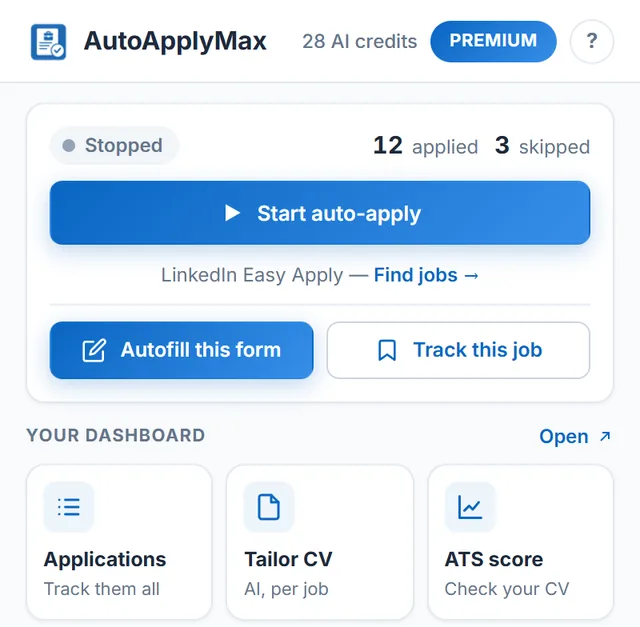
What it does on LinkedIn: Chrome extension. Clicks Easy Apply, fills the form, answers screening questions with an AI model that reads your profile + the JD, submits. Detects LinkedIn's rate-limit and daily-limit modals and pauses cleanly. Random human-like delays between actions.
Real limits: Free tier = 1 AI credit (one full tailored application + one cover letter). Premium = $6.99/mo. Auto-apply works only on Easy Apply; other sites use universal autofill (still click Submit yourself).
Verdict: Best mix of automation + safety. The rate-limit UX is genuinely nicer than every competitor here — the LinkedIn scary popup is replaced in-place with a friendly "Auto-apply will resume shortly" chip.
2. Simplify
What it does on LinkedIn: The extension autofills the Easy Apply form but does not click Submit. Every application ends with your click. So technically it is autofill, not auto-apply, despite marketing suggesting otherwise.
Real limits: Free forever. The AI-answering feature for screening questions is Copilot ($9/mo). No CV tailoring per job — you upload one static CV.
Verdict: Excellent autofill, misleading auto-apply framing. Best if you like to review every submission before it goes out — a defensible workflow. Not what you want if the goal is volume with zero clicks. See Simplify.
3. Sonara
What it does on LinkedIn: Sonara is a fully managed service, not a Chrome extension. You give them your CV and preferences; a service submits applications on your behalf via LinkedIn and other channels. You don't control which jobs get applied to.
Real limits: $80/month. Users report generic CV-JD fit (Sonara doesn't tailor per job). The volume promise is real but the quality is uneven.
Verdict: The "someone else does it" option. High price, questionable fit quality, zero-effort. See Sonara.
4. LazyApply
What it does on LinkedIn: Chrome extension that fires Easy Apply submissions in bulk. Aggressive throughput — some users report 150 apps in a couple of hours (which is exactly the kind of pattern that trips LinkedIn's abuse detection).
Real limits: One-time $99 or $249 lifetime license. No CV tailoring. Support inconsistent. Rate-limit handling less graceful than AAM.
Verdict: If you have a burner LinkedIn account and are OK with the risk, LazyApply's throughput is the highest in the list. Not for main career-search LinkedIn accounts.
Comparison table
| Tool | True auto-submit | Per-job CV tailoring | Rate-limit UX | Screening AI | Price |
|---|---|---|---|---|---|
| AutoApplyMax | Yes | Yes | Friendly in-place | Included | $6.99/mo |
| Simplify | No (autofill only) | No | N/A | $9/mo Copilot | Free / $9 |
| Sonara | Yes (managed) | No (generic) | Opaque | Included | $80/mo |
| LazyApply | Yes | No | Basic | Basic | $99 lifetime |
Which one should you pick?
- Serious job search, main LinkedIn account → AutoApplyMax. Best fit-quality per submission.
- You want to review every application → Simplify.
- You want a done-for-you service and can afford $80/mo → Sonara.
- Burner account, extreme volume → LazyApply.
Try AutoApplyMax for LinkedIn Easy Apply
Real auto-apply. Per-job CV tailoring. Screening-question AI. Friendly rate-limit handling that keeps your account safe.
Add the extension to Chrome →