What the extension fills on Indeed, and what you check
| Indeed application step | Filled by AutoApplyMax | Worth a look before you continue |
|---|
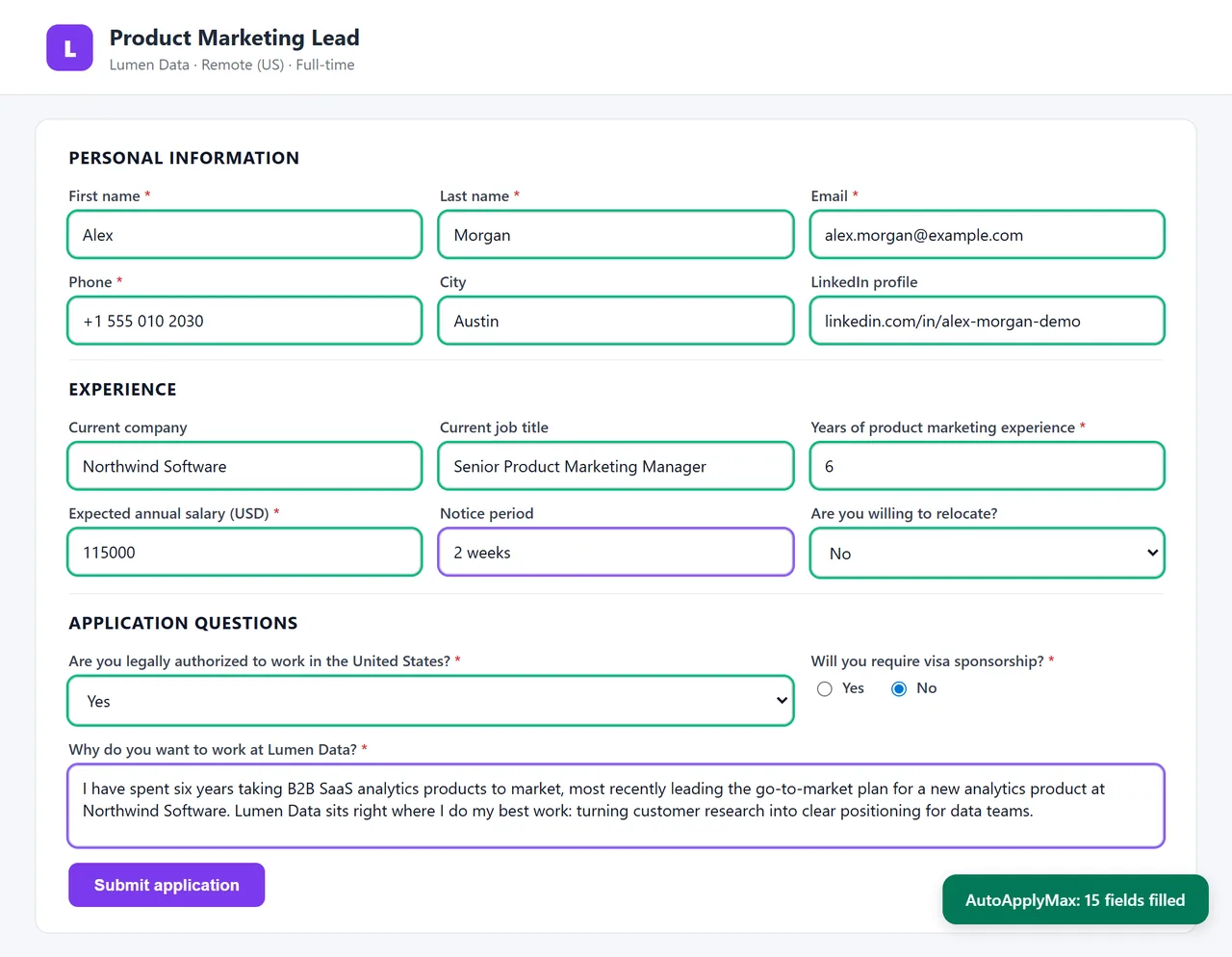
| Contact information | Name, email, phone, city from your profile | That the phone number and city are current |
| Resume | Indeed shows the resume saved in your Indeed account, or an upload button | That the right resume is selected, especially a tailored one |
| Employer questions | Answers from your saved details (experience, salary, notice period, authorization); AI-written answers with Premium | Questions specific to this employer and any open text answer |
| Review | Nothing: this step is yours | Read it through, then click Submit |
Indeed's application forms vary by employer: some ask two questions, some ask twenty. The extension fills the fields it recognizes and leaves the rest empty rather than guessing, so a quick read of each step is always worth it.
Autofill on Indeed vs auto-apply on LinkedIn
AutoApplyMax does two different things depending on the site. On LinkedIn Easy Apply, it auto-applies: it goes through your search and submits each application for you. On Indeed, it autofills: it saves you the typing on each form, and you decide when to submit. The same profile drives both, and every application you send ends up in your job application tracker. For the full picture across job sites, see auto apply to jobs.
Jobs on Indeed that send you to a company website
Some Indeed listings open the employer's own careers page instead of Indeed's form. Autofill works there too: on Workday, Greenhouse, Lever, iCIMS, Taleo and most company sites, the extension fills the form from the same profile. Multi-page forms like Workday need one click on "Autofill this form" per page. More on universal autofill on 100+ ATS portals.
Get more replies from Indeed applications
- Tailor the resume first. Paste the job description into the AI resume builder to get a version built around the posting's keywords, then upload that file on Indeed's resume step.
- Check the match. Run the resume against the posting in the free ATS score checker before you apply.
- Keep your saved answers honest and current. They are what the extension puts in employer questions, so update salary, notice period and work authorization when they change.
- Watch for scams. Never pay to apply, and be careful with offers that ask for personal documents early. Our guide covers how to spot Indeed job scams.
Free vs Premium on Indeed
Autofill from your saved profile is free. Premium ($6.99/month or $49.90 lifetime) adds AI-written answers to employer questions on Indeed and AI autofill on 100+ other portals, plus 30 AI credits a month for tailored resumes and cover letters. See pricing.